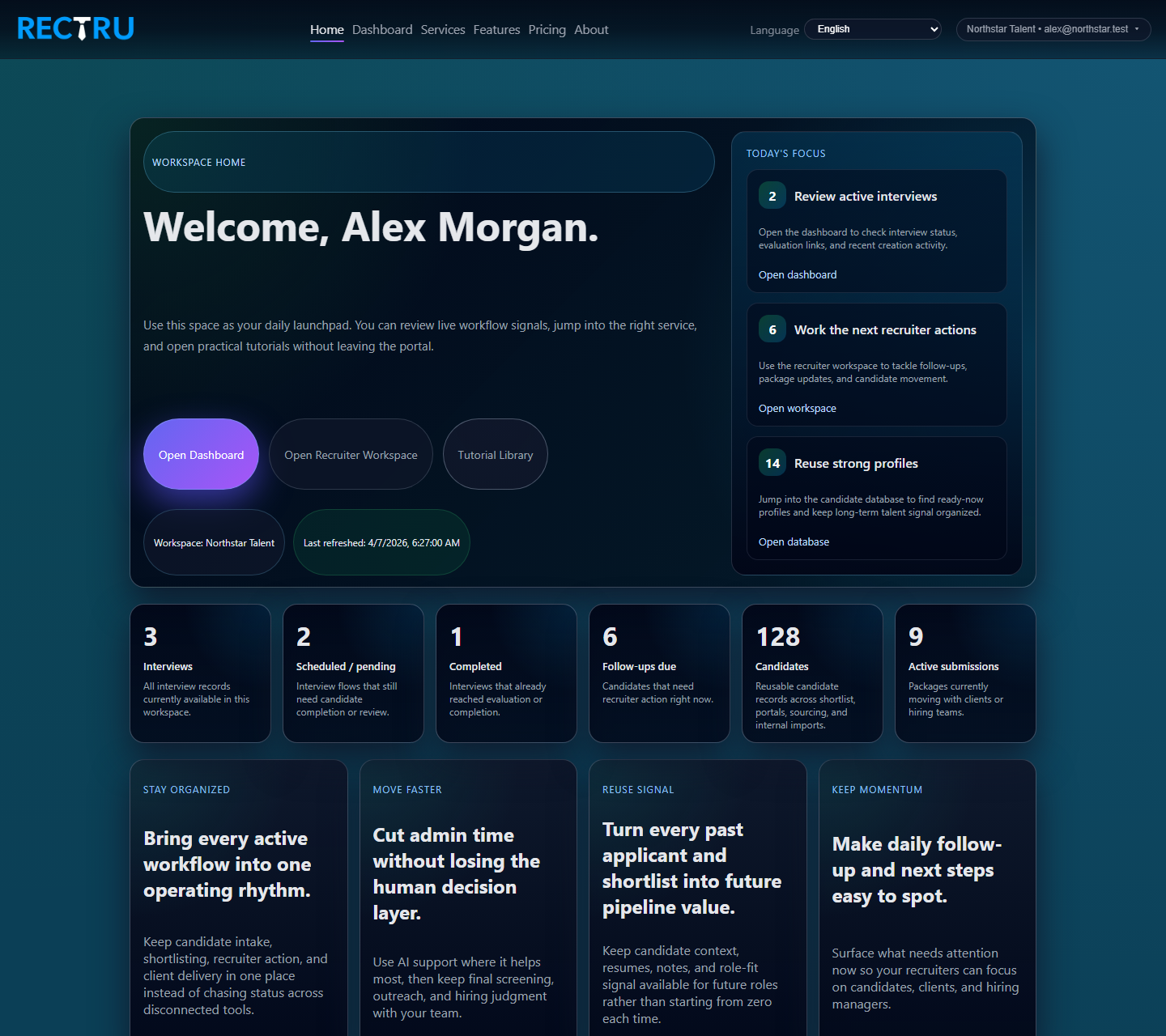
Home guide
Learn how to use the new logged-in launchpad, quick actions, and live daily summary.
Open guidePractical guides for the steps behind your shortlist—from creating a role to reviewing CVs and running interviews. Portal actions require a login. Screenshots use scrubbed sample data.
Learn how to use the new logged-in launchpad, quick actions, and live daily summary.
Open guide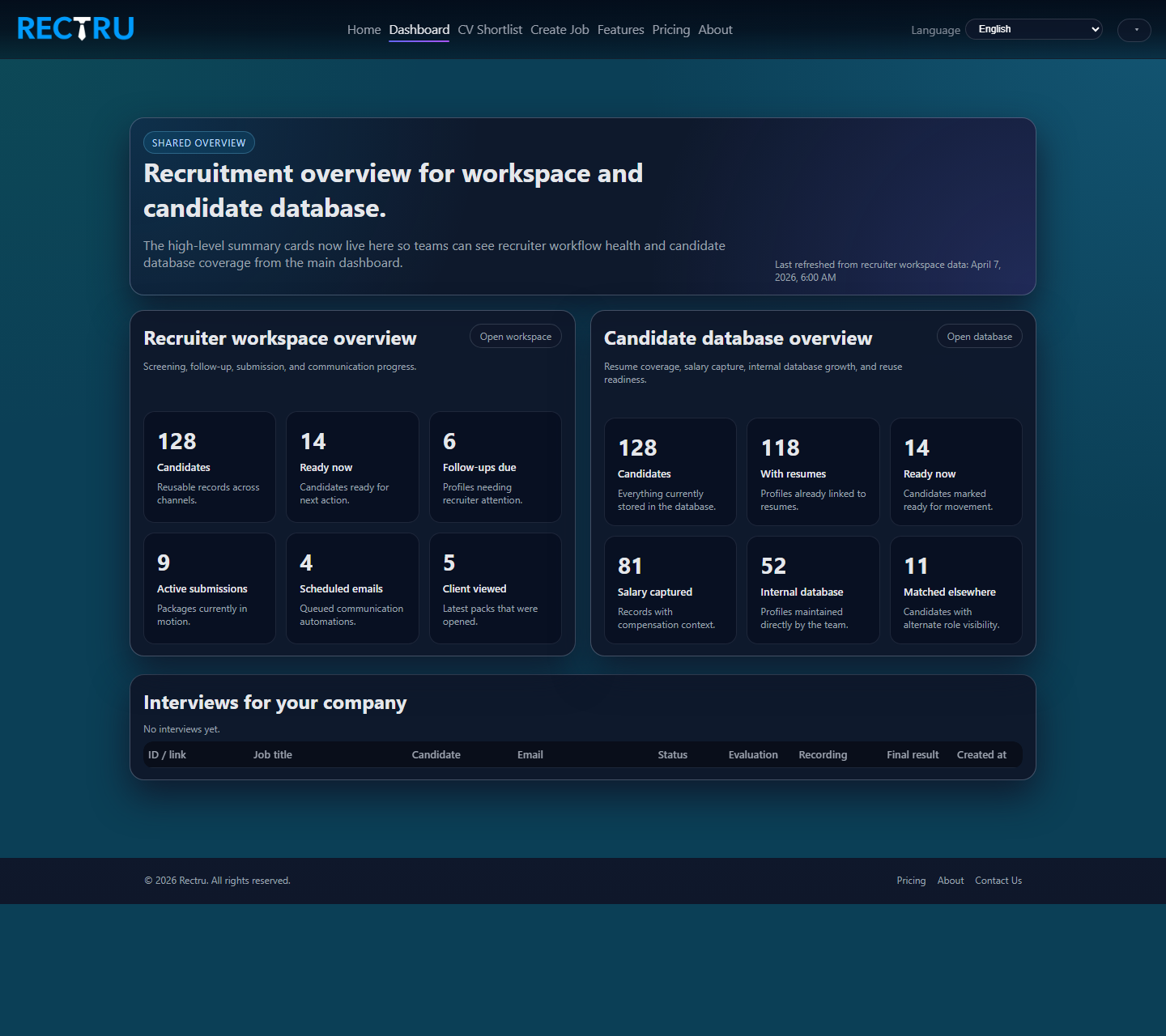
Review interview records, evaluation access, and the shared operating overview.
Open guide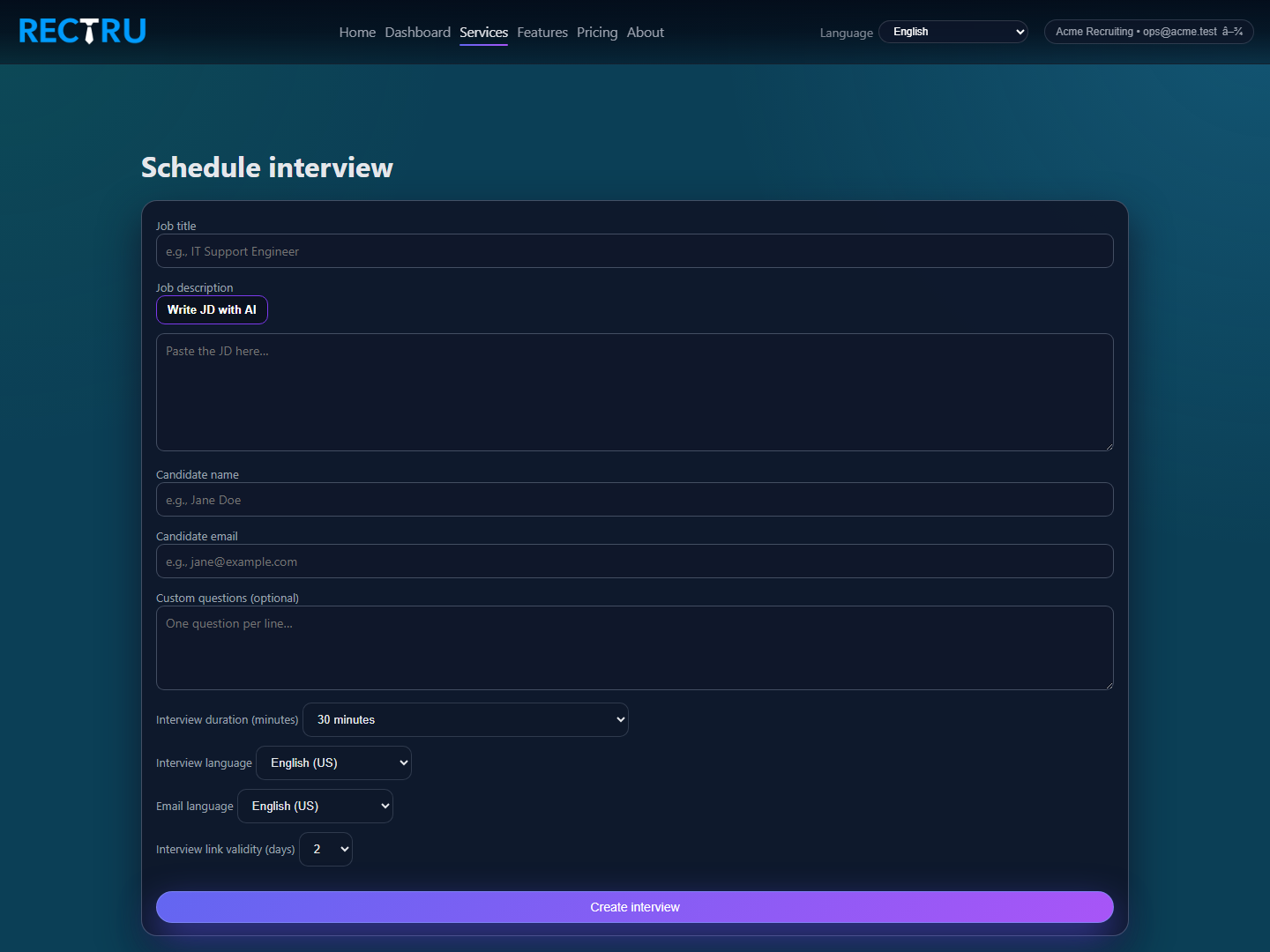
Create direct interview links with the right duration, language, and validity settings.
Open guide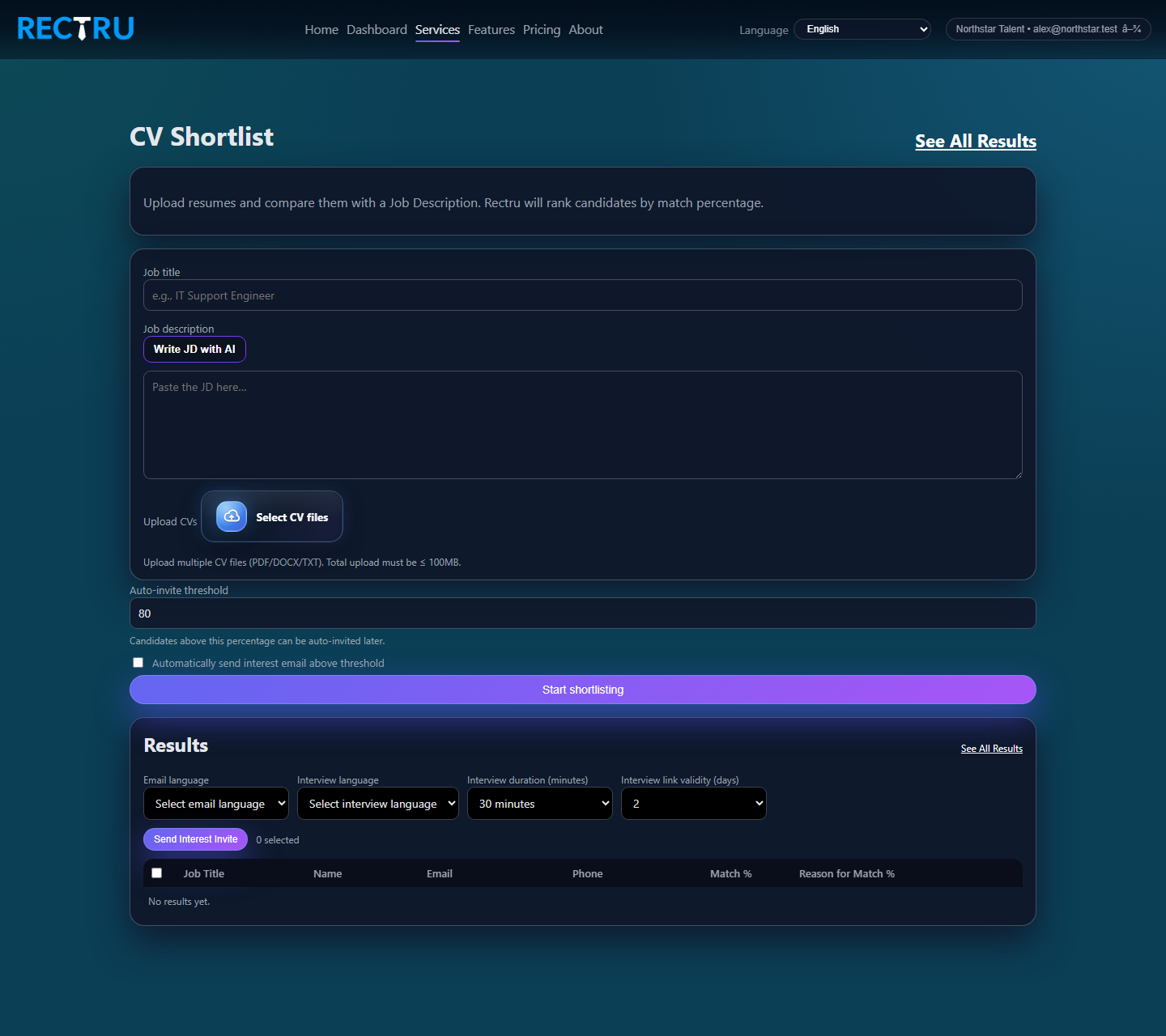
Upload resumes against a JD and rank candidates by role-fit before outreach.
Open guide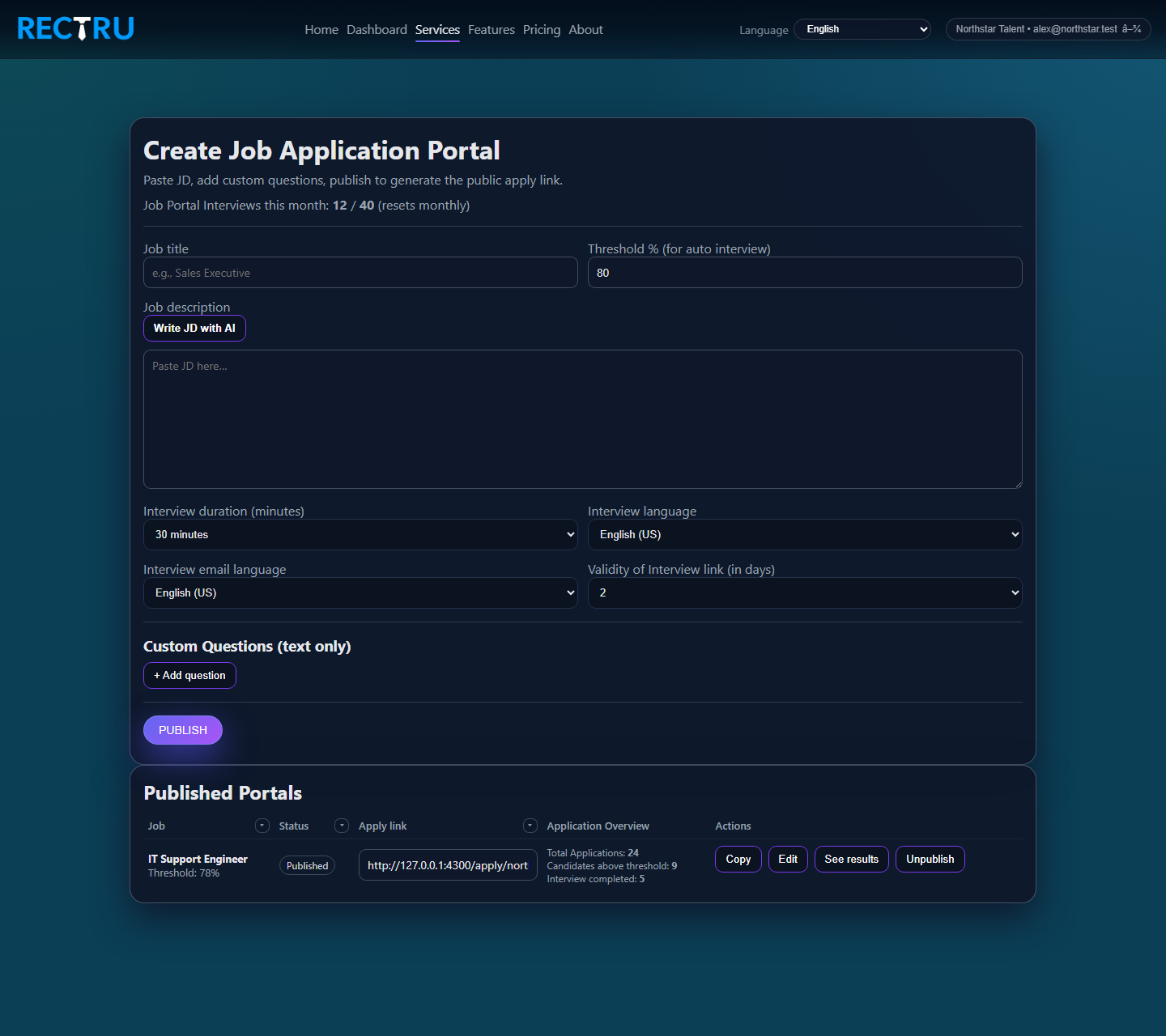
Publish job portals, define thresholds, and manage your application intake flow.
Open guide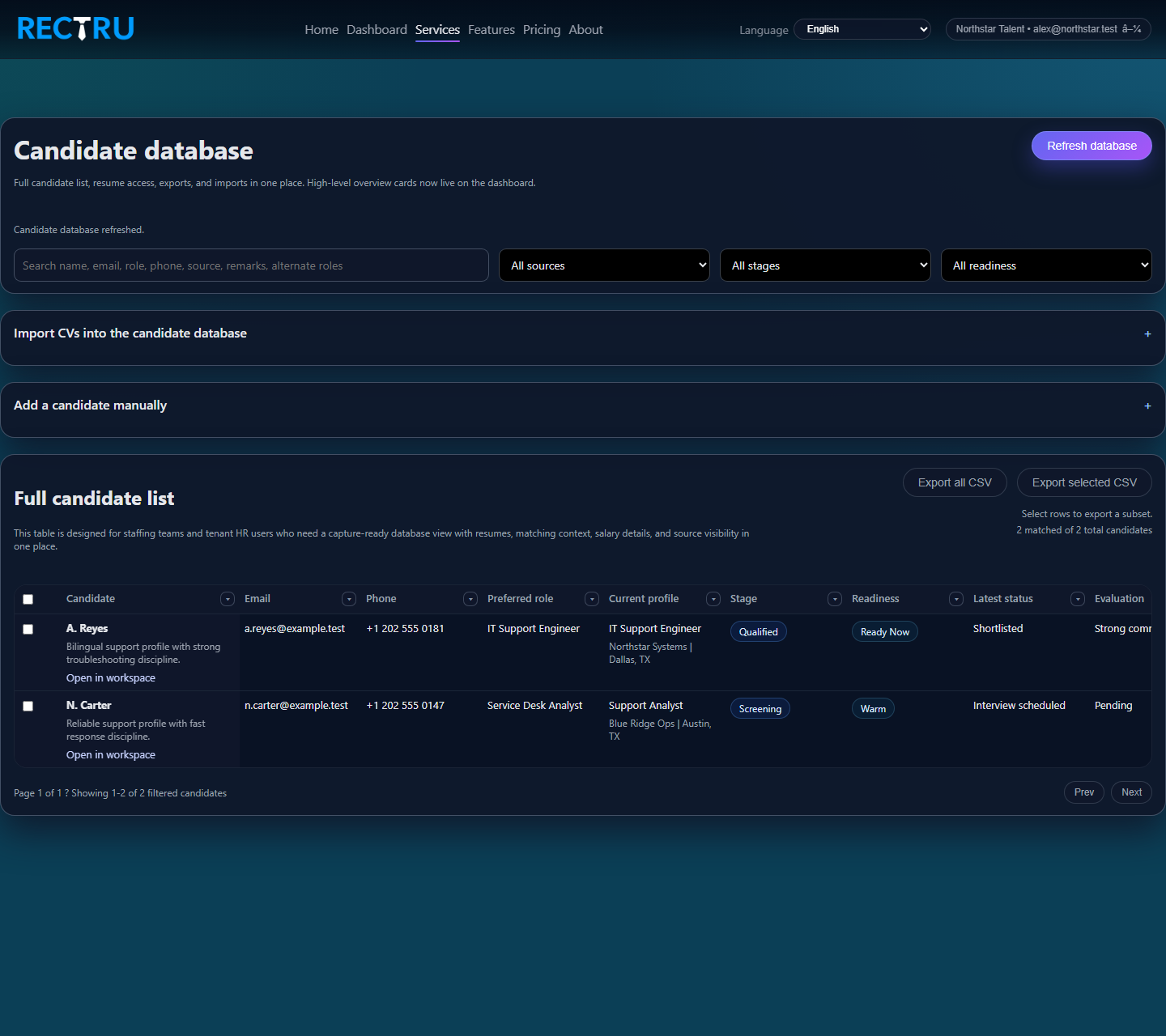
Maintain reusable internal talent records with resume, salary, and readiness context.
Open guide