Move the conversation forward.
Set up an interview with the right duration, language and link validity. Give candidates a clear next step after the initial review.
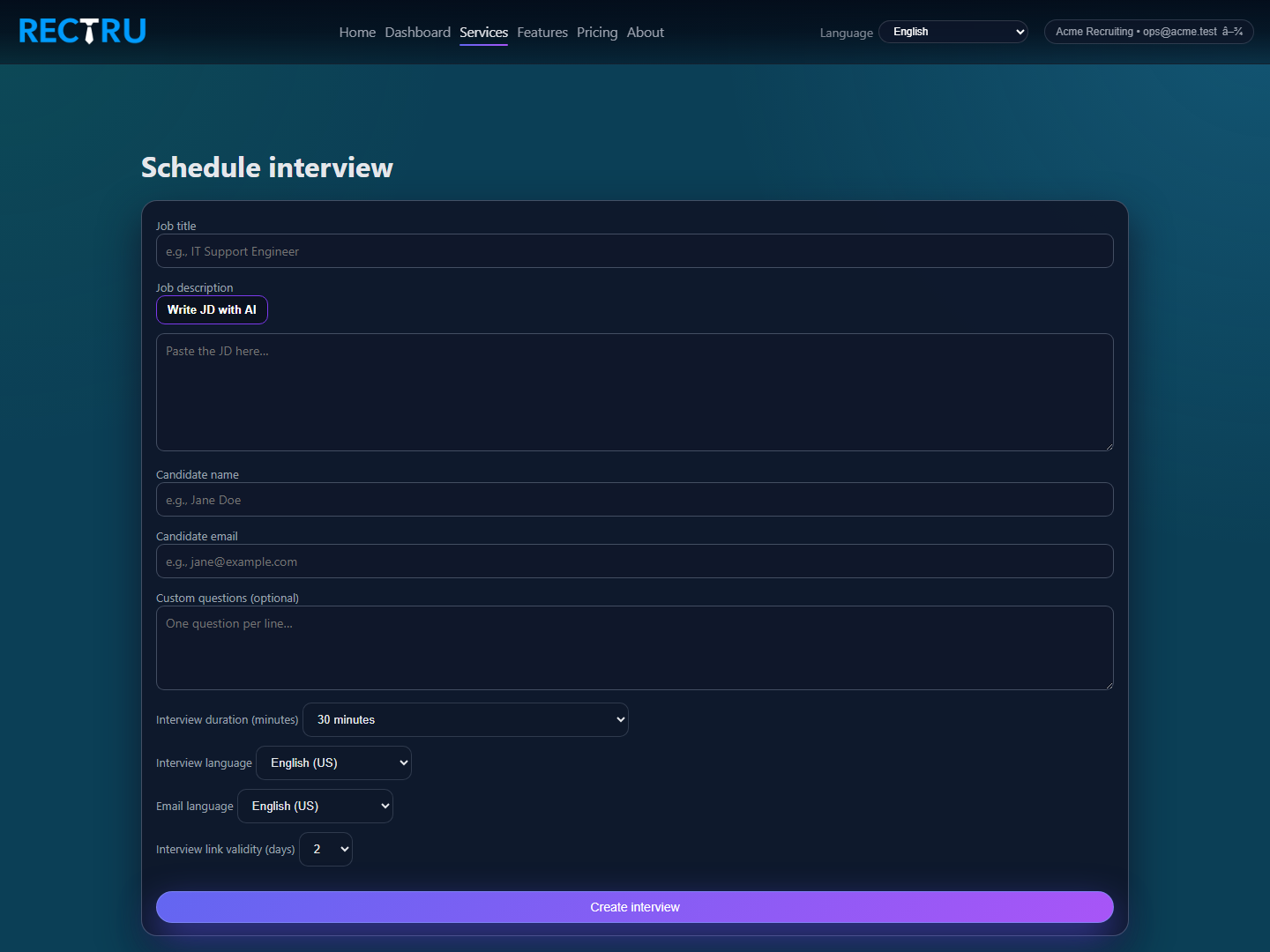
How to use New Interview
1. Add the job context first.
Enter the title and JD clearly so the AI interview has the right role context.
2. Fill in the candidate details carefully.
Candidate name and email control who receives the interview invite, so this is the part to double-check.
3. Choose duration, language, and link validity intentionally.
These settings shape the candidate experience and how long the interview link stays usable.
4. Submit and watch for the success message.
Once created, the candidate receives the interview link by email and the interview becomes trackable inside the portal.