Start your day with a clearer picture.
Use your logged-in home to find quick actions, daily signals and recent activity. Choose the next step in your hiring workflow without searching through every tool.
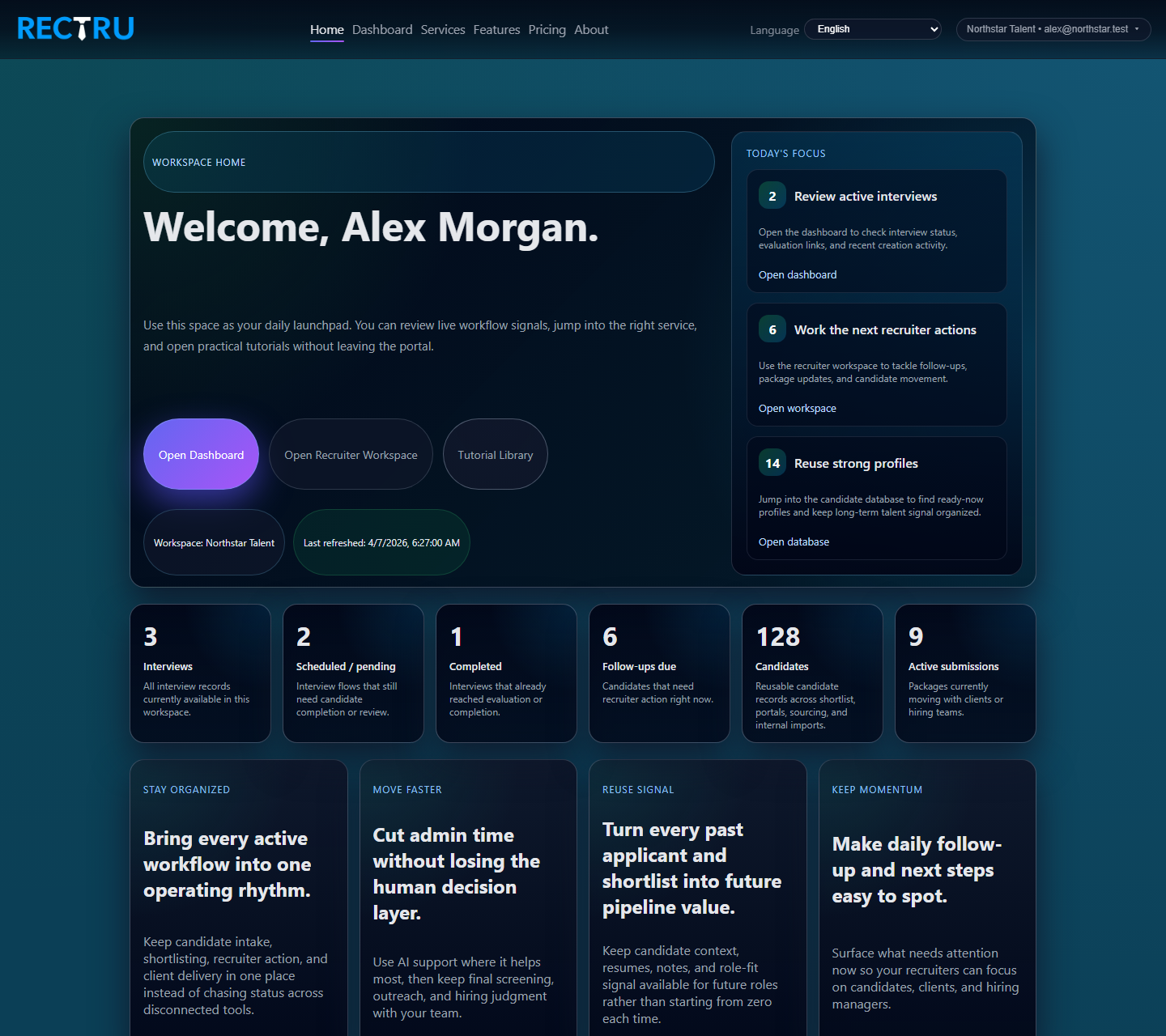
How to work from Home
1. Read the focus panel first.
It points to the most useful next move, such as checking active interviews, follow-ups due, or ready-now candidates.
2. Use the metric cards to understand scale.
The counts help you see whether the day is interview-heavy, follow-up-heavy, or more about database reuse.
3. Jump straight into the right service.
The quick-action cards are there so you do not need to remember which page owns which workflow.
4. Open the tutorials when you need a refresher.
The tutorial section links directly to service guides, so Home also works as an in-product training surface.