Check candidate interest before sending the interview.
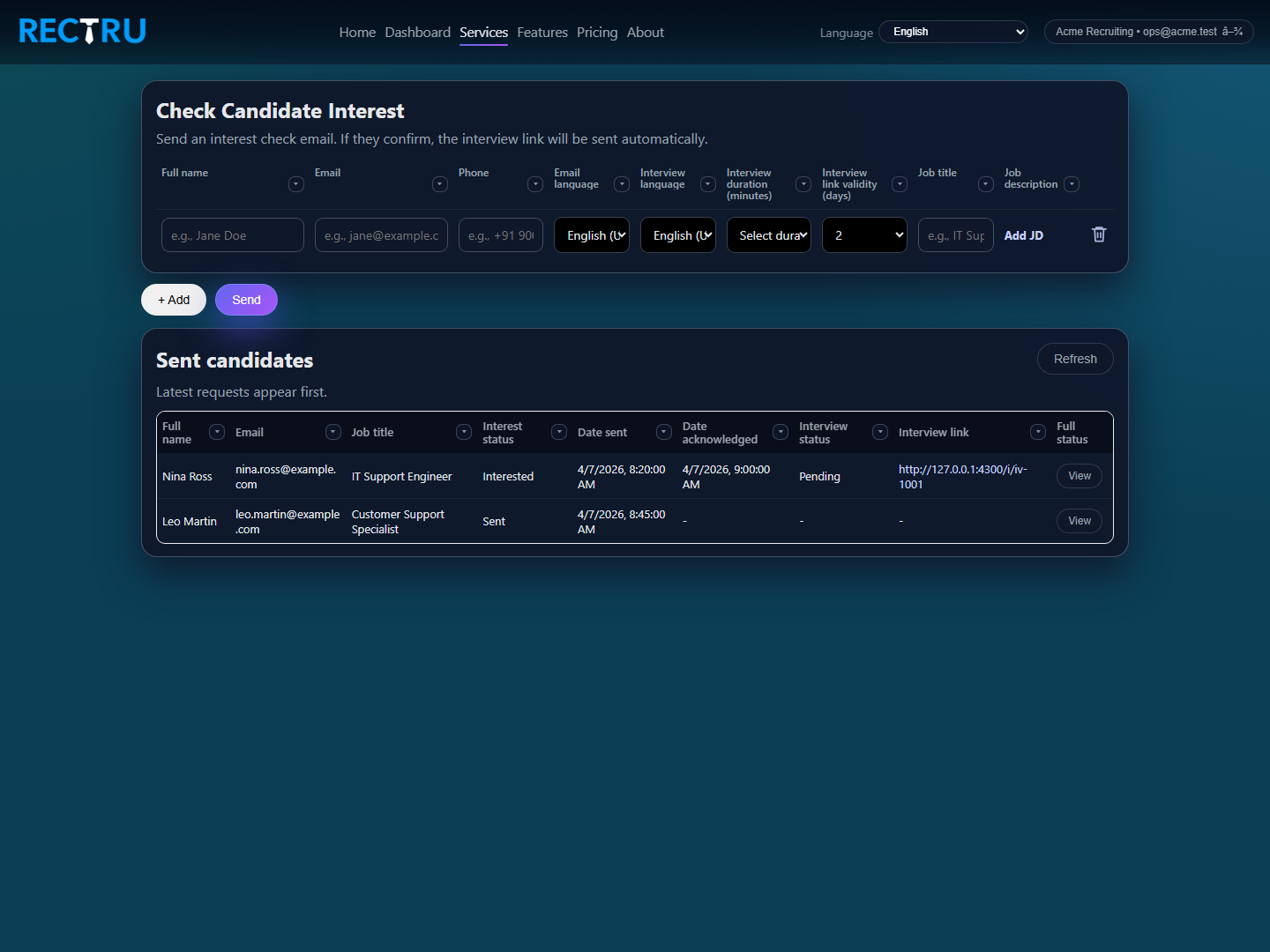
Candidate Interest lets recruiters send an interest email first. Once the candidate confirms, Rectru sends the interview automatically so your team avoids wasting interview slots on cold outreach.
How to use Candidate Interest
1. Add one row for each candidate.
Enter the candidate details, the job title, and the JD so the outreach context is complete.
2. Set the interview and email settings.
Choose language, duration, and link-validity settings that match the target candidate experience.
3. Send the interest check before scheduling deeper effort.
This keeps interview usage focused on candidates who actually want to continue.
4. Watch the sent-candidates table for response changes.
Use the lower status table to see who acknowledged, who converted into interview, and who still needs follow-up.